
Paper that goes missing
The viewing report is signed on paper, photographed, emailed — and two weeks later nobody can find it.
For iPhone and Android. Sign in with SMS, Apple, Google or Realvia.

Paper viewing reports, notes in three different apps and a spreadsheet nobody updates. That is how most agencies run — and how deals quietly disappear.
The viewing report is signed on paper, photographed, emailed — and two weeks later nobody can find it.
The client is in a phone, the property in the CRM, the appointment in a calendar, the photos in a gallery. Nowhere is the whole story of the deal.
How many viewings actually happened? Which agent brings in the most listings? You cannot lead a team without numbers.
This is not a generic chatbot. The RENE assistant works on your agency’s own data — it finds a property, compares its price with the neighbourhood, prepares your day, schedules a viewing or creates a client. Write to it in chat, or simply call it and talk.
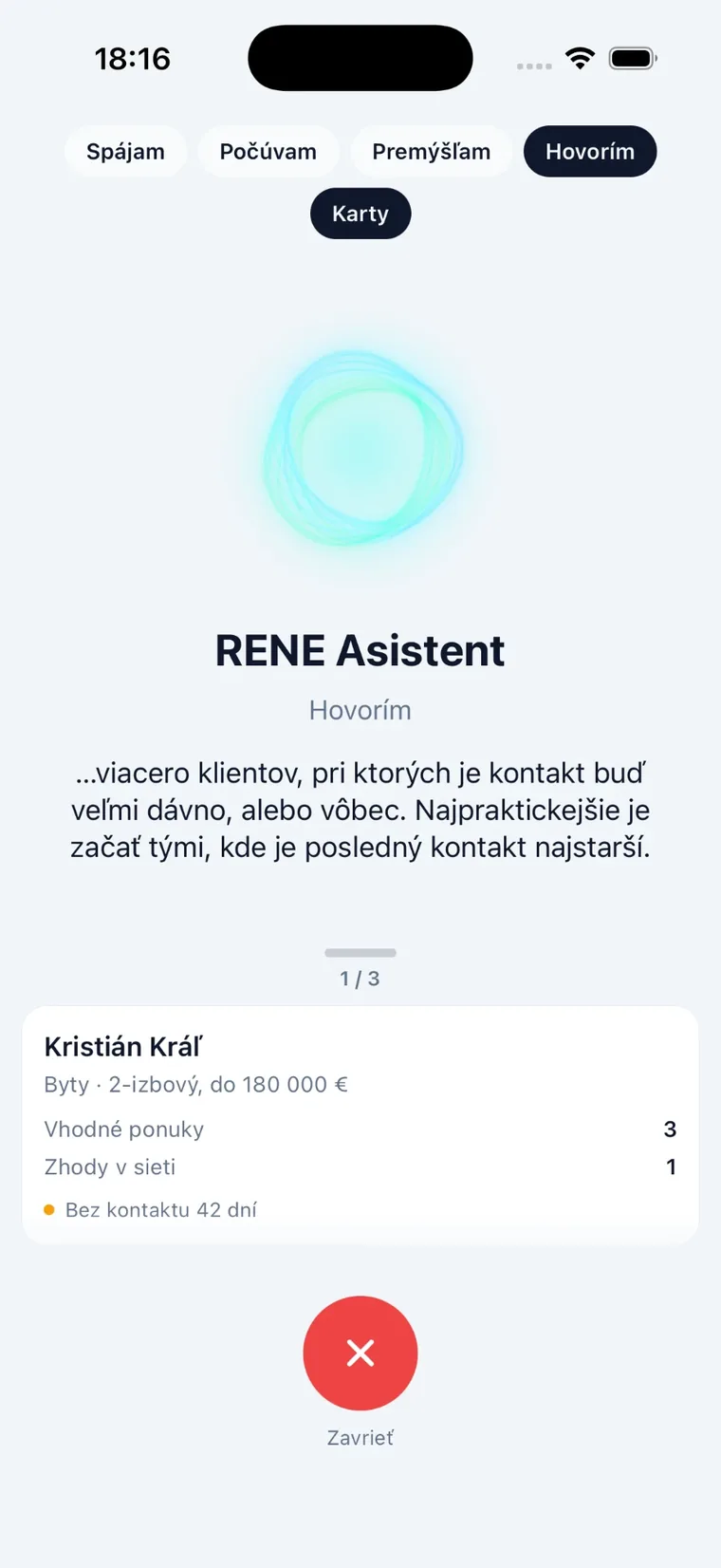
The assistant only works with data the agent already has access to. Every request is logged for review in the admin panel.
RENE follows exactly the path an agent walks every day. Nothing more.
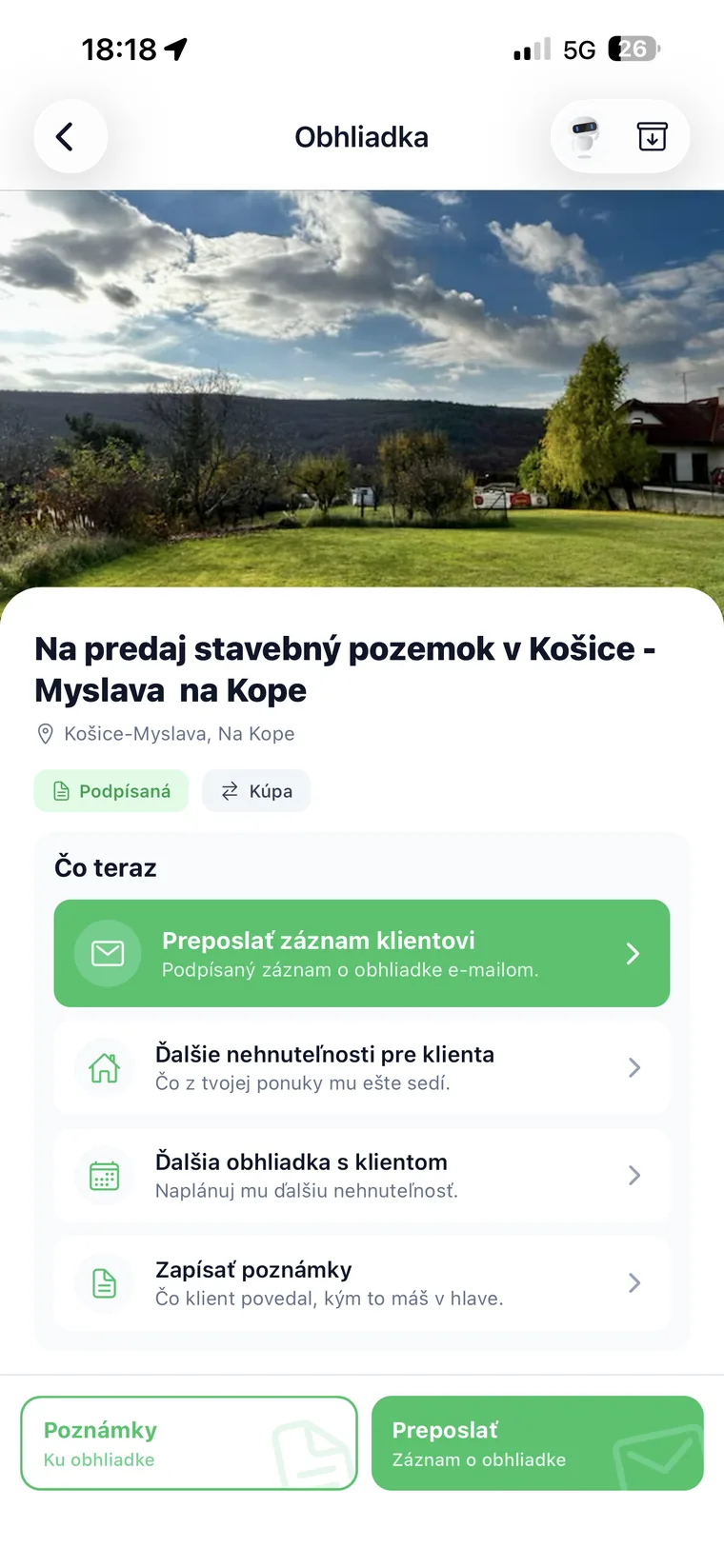
Schedule the appointment, attach the client and the property, and have the report signed on the screen right after the viewing. The signature is confirmed with an SMS code, the report is generated as a PDF and sent by email. No printing, no paperwork in the evening.
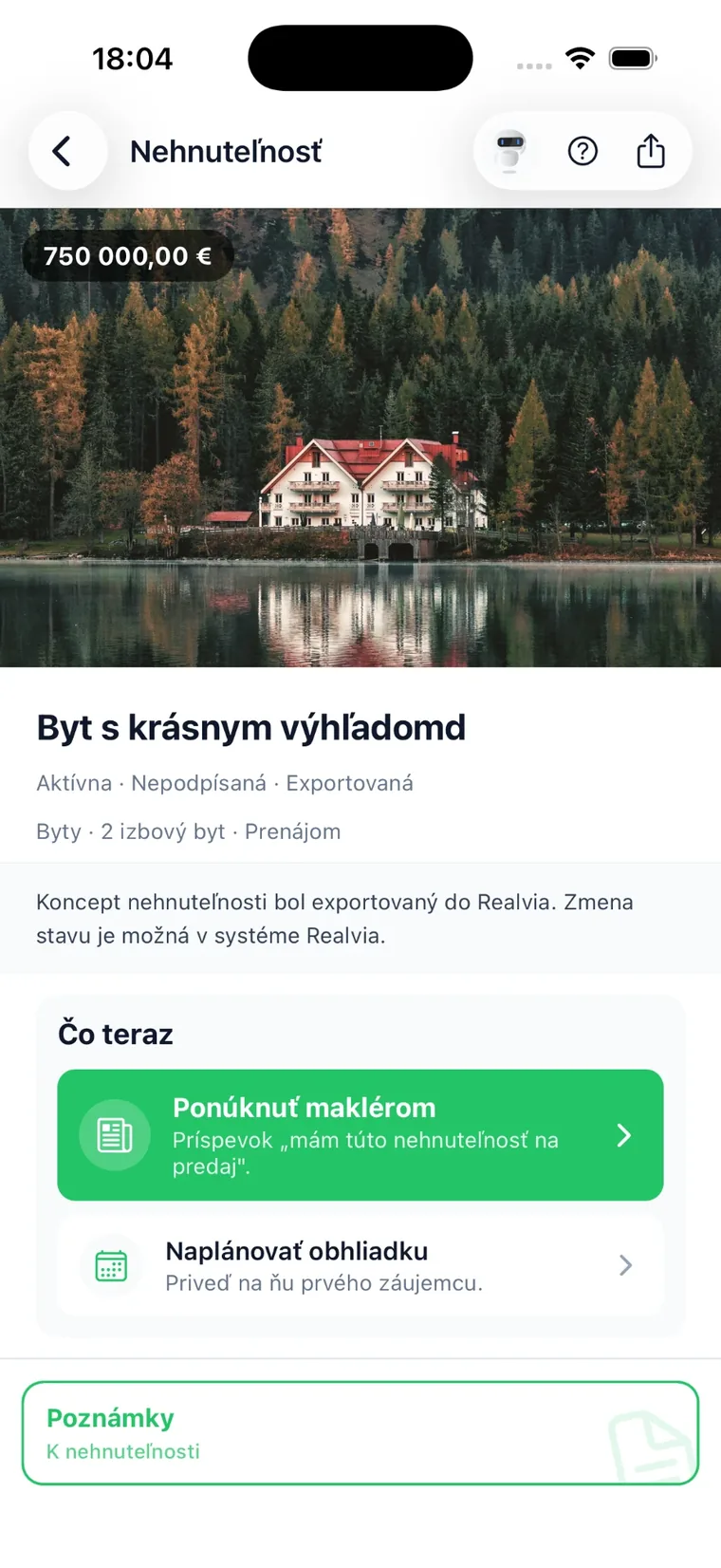
Taking on a property follows the same signing flow as a viewing — including the choice of financing and insurance. And on every deal the app suggests the next step itself.
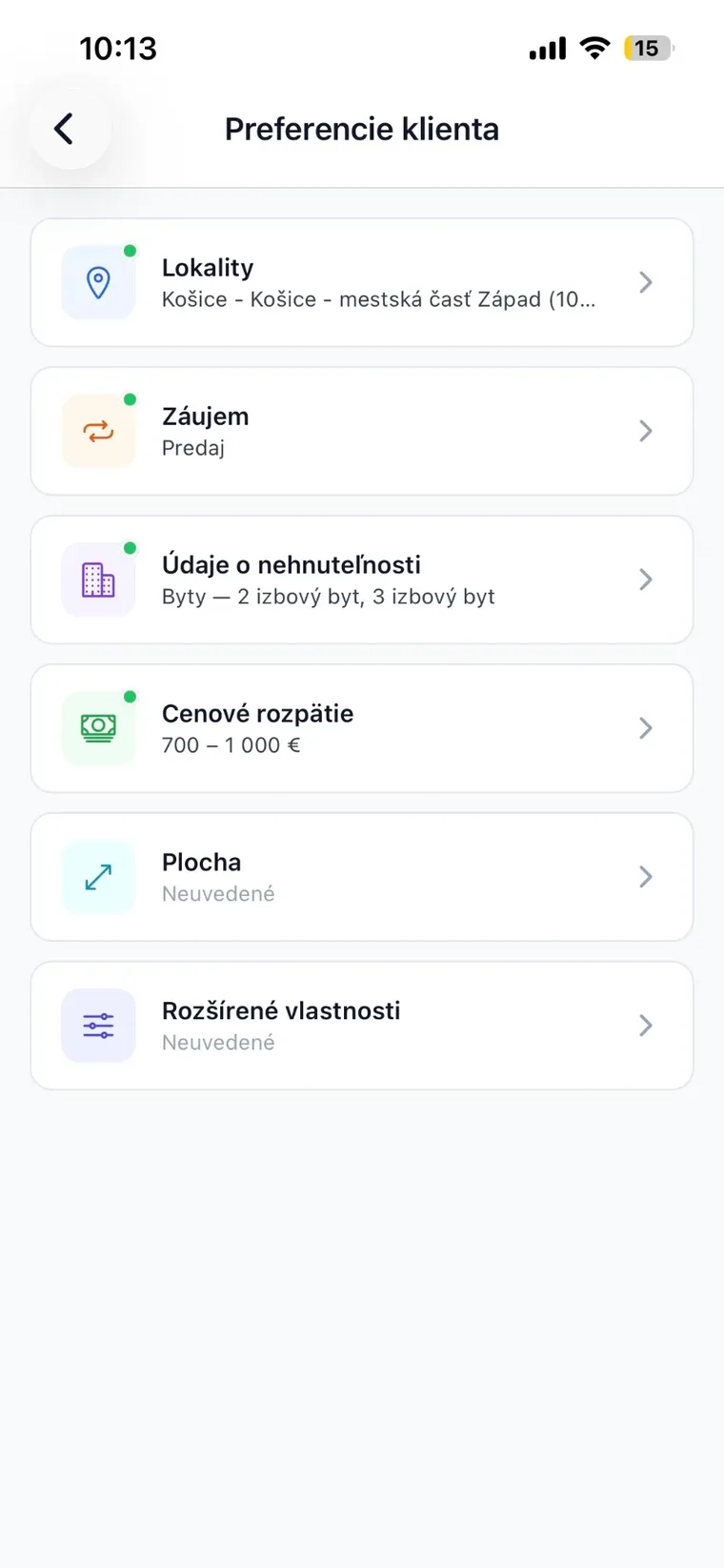
For every client you note down what they are after — type, price, floor area and locations with a radius in kilometres. RENE then shows, next to each name, how many suitable listings exist for them, and reminds you whose preferences are still missing.
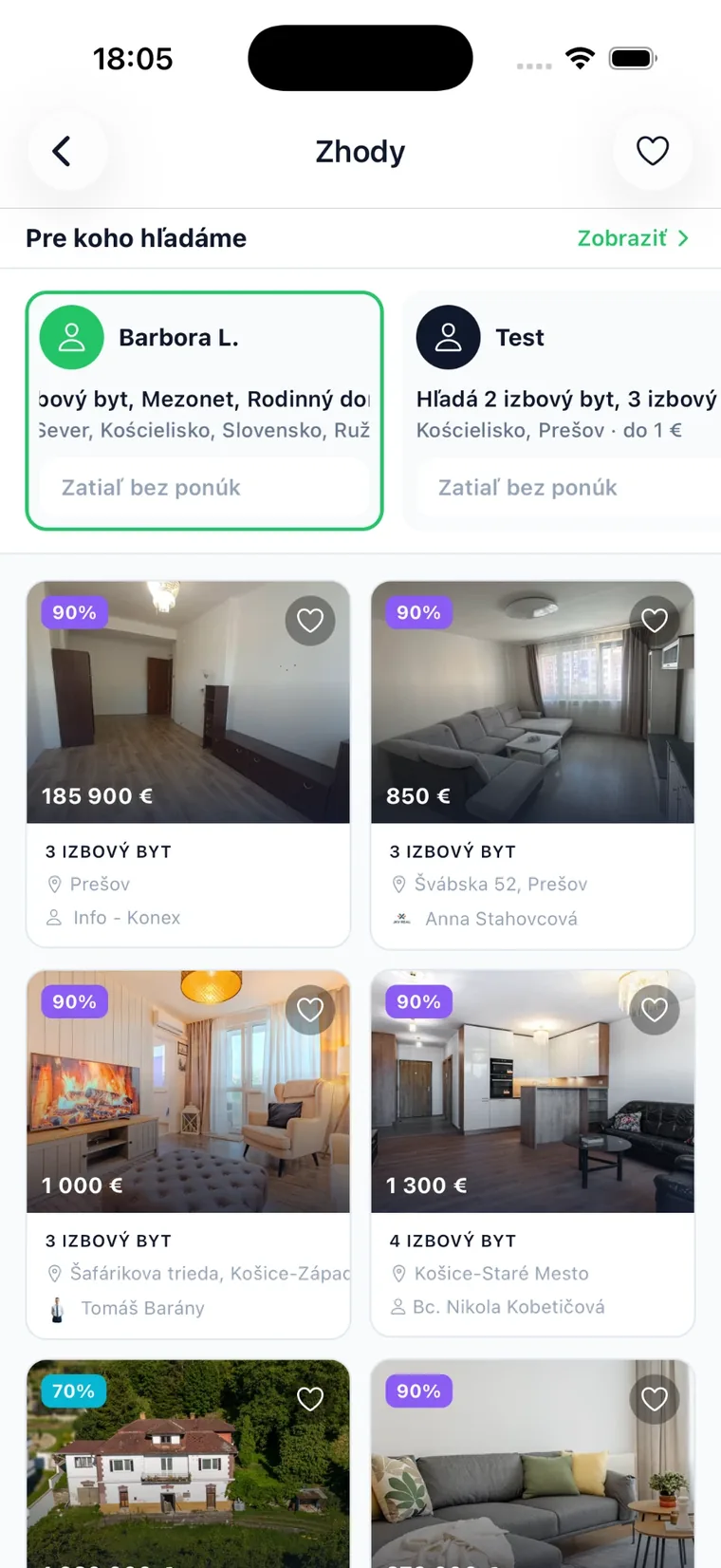
RENE matches your client’s requirements with listings from other agencies — and your listing with other agents’ clients. Every match carries a score based on price, floor area and extras. On top of that: a scanner of portal listings and real market figures.
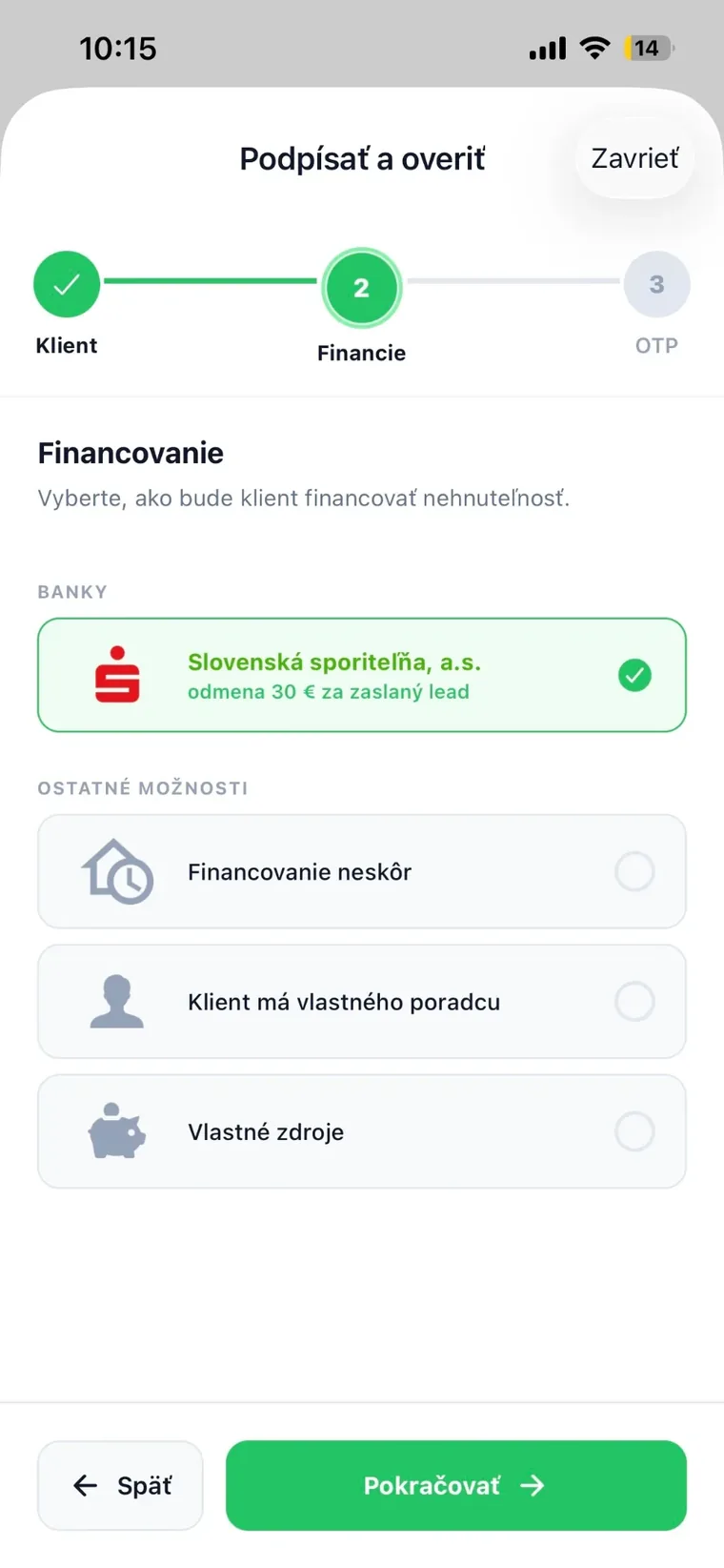
Financing is usually the weakest link in a deal. In RENE you attach a partner to the case — a bank, a brokerage house or a financial intermediary — and send them a lead straight from a viewing or a listing. The cooperation is transparent and approved by both sides.
The tiles on the home screen are exactly the tools you reach for most often.
Chat and voice calls over your agency’s own data.
Scheduling, reports, SMS-verified signature and PDF.
Listing agreements with signature, financing and insurance.
Client requirements: price, area, type and locations with a radius.
Attributes, photos, documents, price history, publishing.
Clients paired with listings across agencies, with a score.
Portal listings for a client, with an “owner only” filter.
Price trends, days on market and neighbourhood comparisons.
Contracts and signed reports on the deal, not in an inbox.
An agent community: messages, attachments, voice notes, posts.
Push alerts for appointments, changes and new enquiries.
Properties on a map and cadastral areas at hand.
RENE is not just a database. It is also where agents see each other, talk and pass deals along.
Private conversations and agency channels. Photos, videos, documents, voice messages, reactions and quoted replies.
Posts, comments, reactions and stories. Follow the colleagues whose listings interest you.
When a match surfaces another agency’s listing, you can find and contact the agent in charge right away.
No server installations, no weeks of training. An agent opens the app and simply gets it.
From the App Store or Google Play, onto every phone in the agency.
Properties, agents and clients are linked to your agency’s system.
Agents see their own deals, the owner sees the whole agency.
From week one, listings, viewings and signatures show up in the statistics.
Role-based access and irreversible client anonymisation on request — while signed reports are archived as proof that the signature happened.
The agent’s identity is verified at registration and the client’s signature with an SMS code. You know who works in the system.
RENE exchanges clients, properties and viewings with the Realvia CRM — and builds on your agency website and portal exports.
For estate agents and agencies — from a single agent to an office with dozens of them. An agency registers with its company ID and the owner then manages the whole team.
With an email address or phone number plus an SMS code, with an Apple or Google account, by scanning a QR code, or with existing Realvia credentials. The agent’s identity is verified during registration.
The client signs with a finger on the screen and the signature is confirmed with a code sent to their own phone by SMS. The result is a PDF report with the time and the details of the deal. This is not a qualified electronic signature under eIDAS — it is an SMS-verified signature that serves as demonstrable evidence of the viewing or the listing agreement.
It works on the data the agent can already access: it finds a property or a client, shows price context and matches, prepares your day or an agency overview, reads the chat. It can also write — create a client or a listing, schedule a viewing, add a note — but every write is shown as a preview first and saved only after you confirm. You can also talk to it by voice.
On iPhone and iPad via the App Store and on Android devices via Google Play. The app is available in Slovak, Czech, English and Hungarian.
Yes. Clients, properties and viewings are exchanged with the Realvia CRM in both directions. We will go through the exact scope during the first consultation.
The app itself is free for an agent. The set of features depends on the plan chosen for the size of your agency — get in touch and we will prepare a tailored quote.
The data belongs to the agency. Deals, clients and history stay in the system and the owner can reassign them to another agent. During holidays or sick leave an agent can also be temporarily delegated to a colleague.
Leave us your email at the top of the page and we will write when the new version goes live. Or simply call us — we will walk you through the app using your own deals.